


Trivia Spin-Guess Brain Quiz
4.4461.00 Reviews
App Specs
- Version
- 2.6.0
- Updated On
- License
- Free
- Downloads
- 1,000,000+
- Developer
- Severex
- Categories
- Trivia
- Platform
- Android, iOS
Screenshots
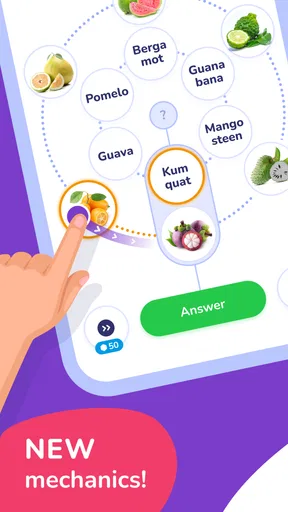
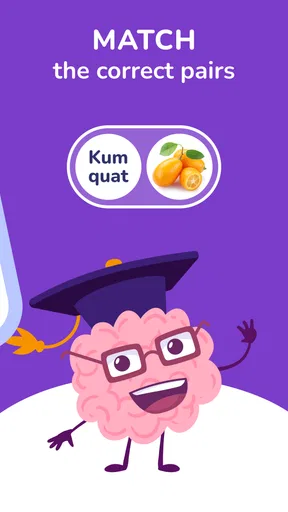
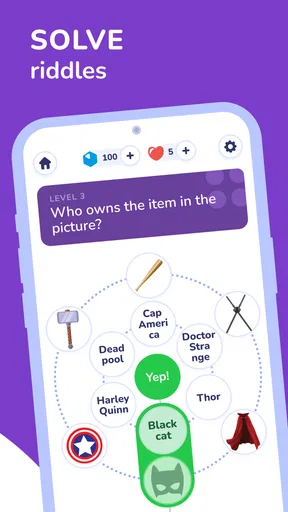
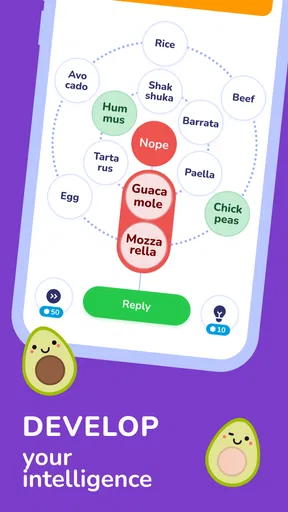

 Analysis by AppCompare
When I open a trivia game for a spare few minutes, I want to reach a question quickly, understand what the game expects, and be able to stop without turning the break into a project. That is the appeal of Trivia Spin-Guess Brain Quiz: it puts a familiar wheel-and-questions idea at the center, with topics ranging from logos and songs to countries and flags. I find that mix easier to pick up casually than a quiz built around one subject, though it suits people who enjoy variety more than anyone seeking a serious study tool.
What a quick session feels like
The spin format gives each turn a small moment of anticipation before the question arrives. That can make a short session feel more playful than working through a fixed list, but it also means the topic is chosen for you rather than carefully tailored to what you want to practice. If I have only a few minutes, that randomness is part of the fun; if I am trying to focus on one area, a topic-specific quiz would be a better fit.
The questions invite a broad kind of recognition and recall: a familiar symbol, a tune, or a flag may come to mind faster than a fact learned from a textbook. A useful way to play with someone else is to say your answer aloud before tapping, then compare how each person reached it. That turns a quick round into a little conversation, even when neither player knows every answer.
Who will enjoy the mix
I’d recommend this style to casual players who like general knowledge, visual clues, and the small surprise of not knowing what kind of question comes next. It can also work as a low-pressure choice for a family break: the Everyone age rating makes its intended audience broad, and the topics give people with different interests a way into the same game. The developer is Severex, and the game is free to start, with optional in-app purchases listed from $0.99 to $19.99 per item.
It is less suitable if you want a tightly structured course, a deep dive into one subject, or a quiz where every question follows a deliberate learning plan. I also would not choose a random-topic format when I need reliable practice for a specific test. For those goals, a dedicated subject quiz or flashcard app gives more control over coverage and repetition. Here, the trade-off is clear: variety makes the next turn lively, while limiting how much you can steer the session.
Small choices that make play smoother
For a relaxed visit, I’d treat each spin as a self-contained round rather than promising myself a long run. That makes it easier to enjoy the changing topics and leave when the break is over. If I’m playing with a friend, I’d agree on whether we are answering individually or helping each other before starting; otherwise, the social side can become less about trivia and more about negotiating the rules.
There is another useful way to get value from the broad subject range: notice which clues make you hesitate. A missed flag or song clue can be a prompt to look up the subject afterward, but the game itself should not be mistaken for a complete reference source. I find that distinction important: trivia is good at sparking curiosity, while a separate reliable source is better for checking a detail or learning it in context.
Worth Reading Before You Choose

EA SPORTS FC Mobile 26 Is a Bigger Football Game, but It Takes Time

Flipboard Shows What News Apps Must Do Beyond the Feed

Switching to Android Auto Means Rethinking Your Driving Routine

Google Calendar Makes a Crowded Week Easier to Manage

Ludo King Makes the Most of the Minutes Between Plans

Baby Panda World Brings Quick Play to Modern Phones, but Its Game Library Feels Busy
For an everyday scenario, imagine waiting for a meal to arrive with a friend. A few turns give you something to do without requiring a console, a long setup, or a plan for the evening. The same format can suit a short commute break or a quiet moment at home, provided you are comfortable with a casual game on your phone. If you are in a place where sound would be distracting, the original review notes that the effects can be muted, so you can keep the game quieter without giving up the visual part of the experience.
How it compares with other trivia games
Compared with a conventional quiz that presents a fixed sequence of questions, the wheel makes topic changes part of the experience. That is a genuine strength when you want an unpredictable mix, but it is not automatically better: a standard category list may be more convenient if you want to choose geography every time, while a head-to-head quiz built specifically around competition may be a stronger pick if ranking and match structure are your main priorities.
The original review describes multiplayer play, including challenges with friends and random opponents, as well as a leaderboard. Those elements can give trivia a social hook, but they are not the main reason I would choose the game. I’d pick it for the quick variety first, then use the competitive side when other people are available. If you mostly play alone and want a carefully paced solo challenge, compare it with single-player quiz games before settling on this one.
Gameplay That Spins Your Mind
The first thing you’ll notice about Trivia Spin-Guess Brain Quiz is how easy it is to get started. The interface is super user-friendly, and you’re just a couple of taps away from diving into a world of questions that’ll have you scratching your head and raising your eyebrows.
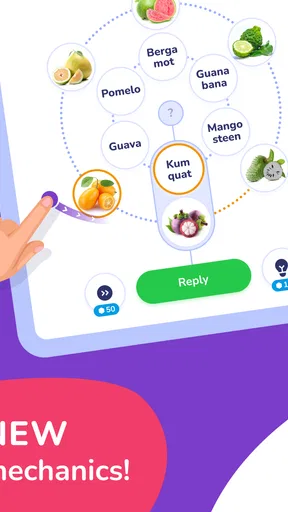
The game's concept is simple yet addictive. You’re presented with a spinning wheel filled with different categories. Give it a spin and see where you land! Whether you’re a science geek, a history buff, or a pop culture fanatic, there's a category for everyone. And trust me, the questions range from the ridiculously easy to the head-scratchingly hard. It keeps you on your toes, which is something I really appreciate.
A Challenge for Every Brain
What sets this app apart is its diverse range of questions. The developers have clearly put a lot of effort into making sure every category is packed with intriguing and sometimes downright quirky questions. It’s not just about knowing the capital of France (though, spoiler alert, that’s Paris) but also about those weird little facts you never thought you’d need to know!
The app also features a mix of different question types. You’ve got your standard multiple-choice questions, but there are also true or false options and even some picture-based puzzles. It keeps things fresh and ensures you’re never just going through the motions.
Spin and Win with Friends
One of the coolest aspects of Trivia Spin is the multiplayer mode. You can challenge your friends or even take on random players from around the world. It’s always fun to see who among your crew knows the most obscure facts about the animal kingdom or the deepest points of the ocean. Plus, there’s a leaderboard, so you can keep track of who’s the reigning trivia master.
Playing with friends adds a whole new layer of excitement and a little friendly competition never hurt anyone, right? It’s a great way to connect, especially if you’re looking to bond over something other than just scrolling through social media.
Design and Usability
The app’s design is sleek and colorful, which definitely adds to the overall experience. Everything is laid out in a way that’s intuitive, so you’re not fumbling around trying to figure out what to do next. The animations are smooth, and the spinning wheel is oddly satisfying to watch.
Another thing I love is the sound effects. They’re subtle, not too over-the-top, but they add just the right amount of flair to keep things lively. Plus, if you’re playing in a quiet place, you can easily mute the sounds without losing any of the game’s charm.
Speed, stability, and device fit
On the performance question, I’d set expectations at the level of a lightweight trivia game rather than a visually demanding game: the central activity is choosing a category and answering questions, not navigating a complicated world. The original impression of a straightforward interface and smooth wheel animation is encouraging for quick use, but it is not a guarantee that every device or connection will behave the same way. I would judge the pace by how promptly the game gets from a spin to a question on your own phone, rather than expecting a specific load time.
For a heavier session, such as several rounds with friends, the main practical consideration is attention, not graphics. Switching between topics and keeping a friendly match moving can be more tiring than the simple controls suggest. I’d keep the session informal and take a pause if the questions start to blur together. If the game is interrupted, reopening it is a sensible first step; I would not assume a particular round or score is automatically recovered unless the game itself shows that state when you return.
Trivia Spin is listed for devices running Android 8.0 or later, and its current version is 2.6.0. It has reached over one million installs and holds an average rating of 4.4 from around seventeen thousand ratings. Those figures suggest a well-established casual game, but they are not a substitute for checking compatibility on your own device. The game is free, while optional purchases can affect how much someone chooses to spend; I’d keep that in mind if a child is playing and make purchase expectations clear beforehand.
Final Thoughts
All in all, Trivia Spin-Guess Brain Quiz is a delightful little app that’s perfect for anyone looking to pass the time with a fun and engaging activity. It’s informative, challenging, and downright entertaining. Whether you’re a trivia novice or a seasoned pro, there’s something here for everyone.
If you’re looking to download the app, you can easily find it on both Android and iOS platforms. Just head to your respective app store and spin your way to trivia glory. Happy quizzing, folks!
My performance verdict
I see this as a sensible pick for short, varied trivia sessions, especially when a friend is nearby or you want a quick change from scrolling. Its strongest practical quality is the low-effort loop: spin, meet a topic, answer, and decide whether to continue. The same randomness that keeps it fresh can frustrate someone who wants full control over subject and difficulty, and a dedicated learning app will be more useful for systematic revision. If you want relaxed general-knowledge play instead, the wheel-based approach is a good reason to give it a try.
Pros
- Engaging and challenging questions.
- Variety of quiz categories available.
- Smooth and intuitive interface.
- Regular updates with new content.
- Multiplayer mode for competitive fun.
Cons
- Ads can be intrusive at times.
- Limited offline play options.
- In-app purchases can be pricey.
- Some questions lack detailed explanations.
- Occasional glitches in multiplayer mode.
FAQs for Trivia Spin-Guess Brain Quiz
What is Trivia Spin-Guess Brain Quiz?
Trivia Spin-Guess Brain Quiz is an engaging mobile app that tests your knowledge across various categories. Players spin a virtual wheel to choose topics and answer questions to earn points. It's designed for both casual players and trivia enthusiasts, offering a fun way to learn and compete with friends or other players globally.
How do I play Trivia Spin-Guess Brain Quiz?
To play Trivia Spin-Guess Brain Quiz, simply download the app and create an account. Spin the wheel to select a category, then answer the multiple-choice questions within a time limit. Correct answers earn points, allowing you to advance to higher levels and unlock rewards. You can also challenge friends to see who scores higher.
Is Trivia Spin-Guess Brain Quiz free to download and play?
Yes, Trivia Spin-Guess Brain Quiz is free to download and play. However, the app offers in-app purchases for additional features, such as extra spins, hints, and ad-free experiences. While you can enjoy the core game without spending money, these purchases can enhance your gameplay experience.
Can I play Trivia Spin-Guess Brain Quiz offline?
Trivia Spin-Guess Brain Quiz requires an internet connection to download new questions and updates, as well as to participate in global leaderboards and challenges. While some features might be accessible offline, the full experience, including competitive play, is best enjoyed with a stable internet connection.
What devices are compatible with Trivia Spin-Guess Brain Quiz?
Trivia Spin-Guess Brain Quiz is available for both Android and iOS devices. It supports a wide range of smartphones and tablets running recent operating system versions. For the best experience, ensure your device meets the app's minimum system requirements and has sufficient storage space for updates.


